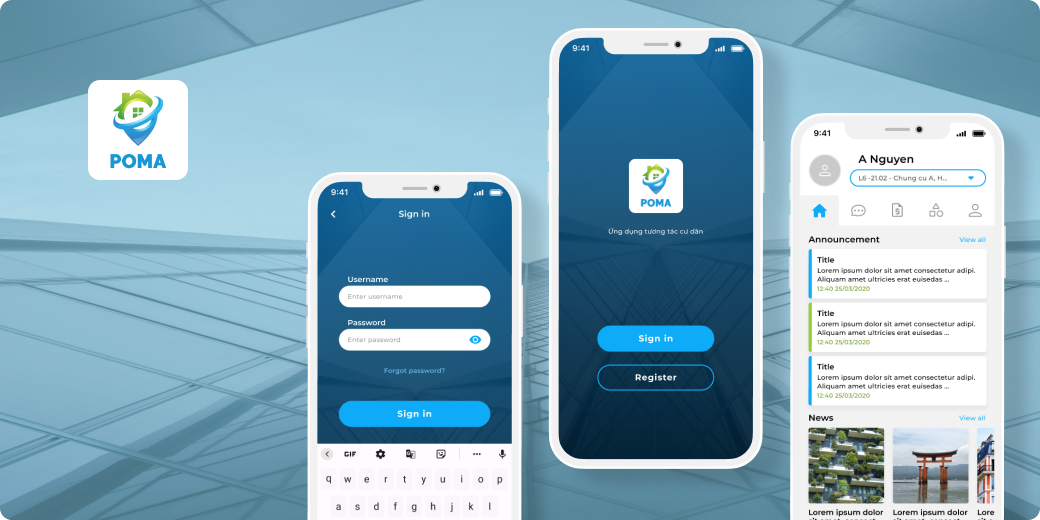
POMA is an apartment operation management application that solves the problem of optimizing the management process and communication between the Board of Directors, the Management Board and the Residents. POMA offers effective apartment management, communication system, announcements notification, monthly payment... Residents also can access to other services and utilities.
Role: UI designer
Timeline: 3 months
Tools: Figma, Illustrator
Goals
- Design an app with a large amount of textual content for different age groups.
- Create design system with consistent UI elements and reusable components.
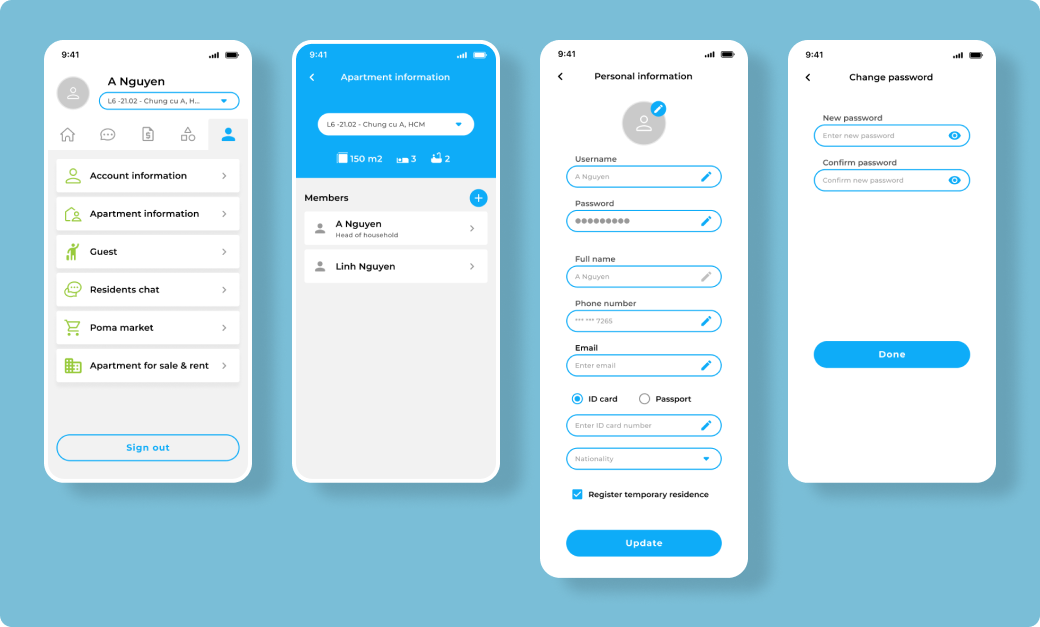
- All residents will have a profile showing detailed information of their apartments.
- The app contains features that allows users to pay monthly bills and send request on particular matters.
Visual design
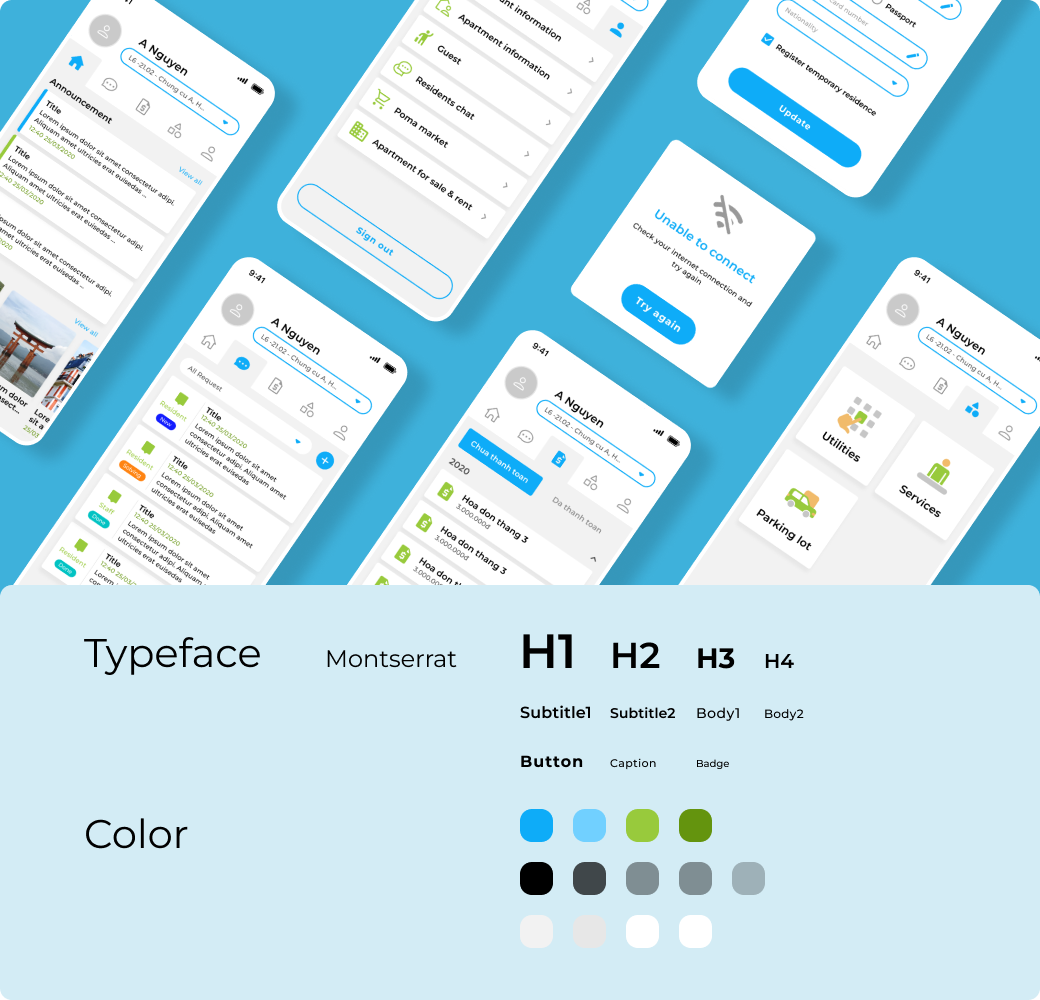
This app featured material design as the design system. The style was to give a friendly and trendy look, also keeping in mind the readability and clarity. The stylish icons were created with brand colors and their variants to elevate the mood of experience.
User flow
Register
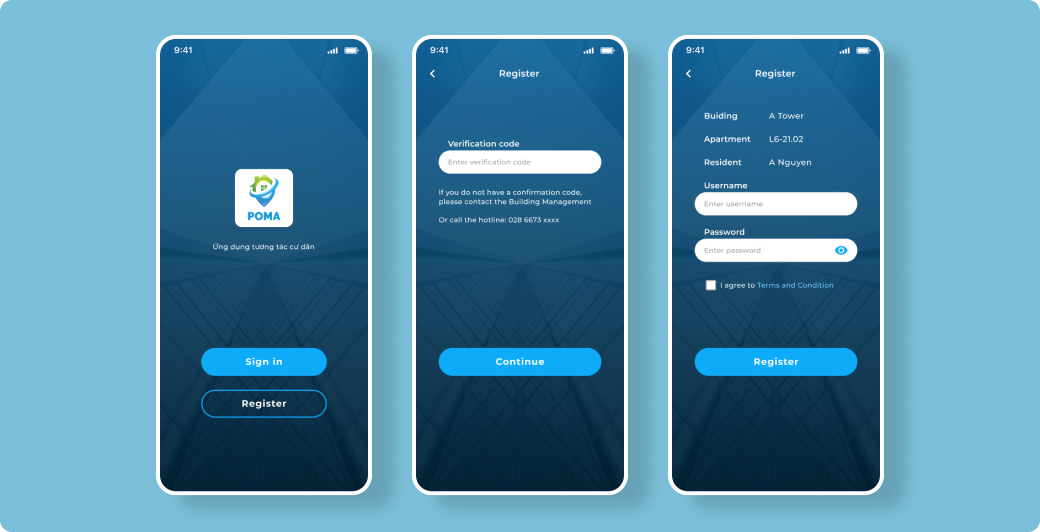
For successful registration, the users have to enter a verification code, which can only be obtained from the Building Management Board.
User flow
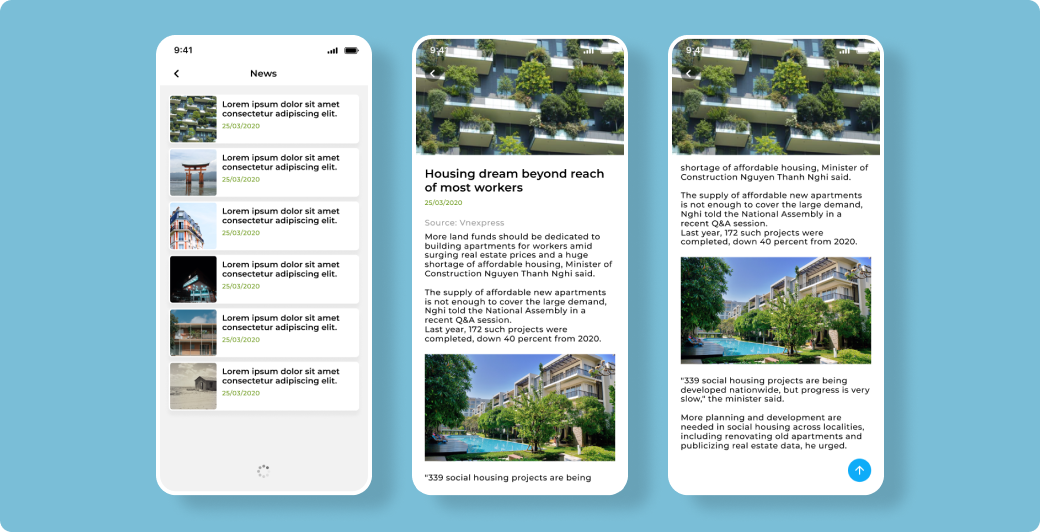
Announcement & News
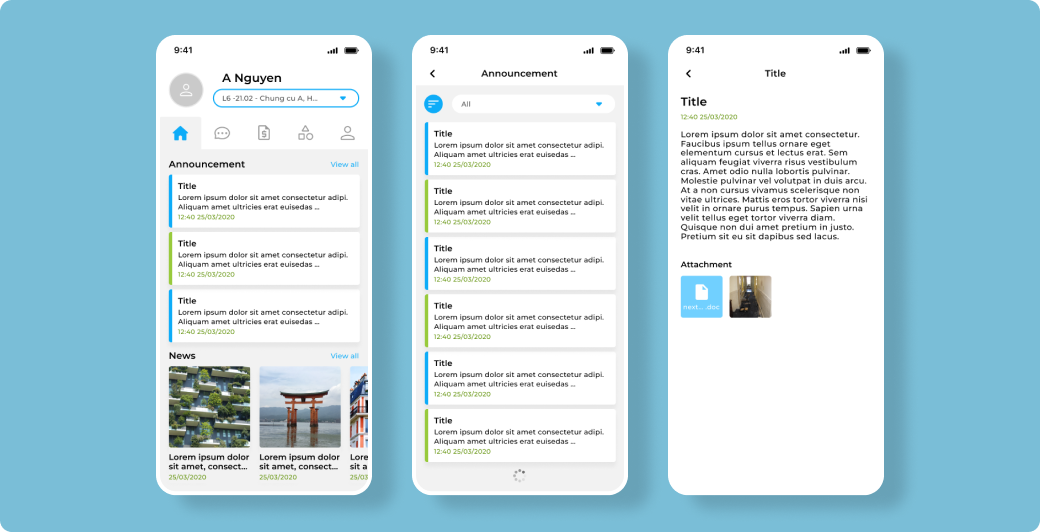
Home screen consist 2 sections. The first section contains all the announcements from the Management Board. The second section displays informative news sourced from reputable sites.
User flow
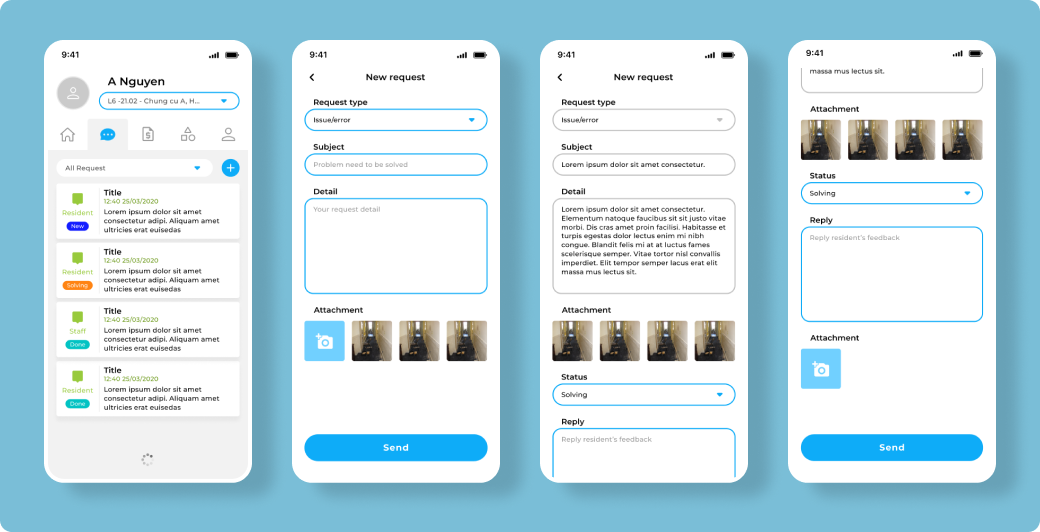
Requests
For solving problems within the building, the Residents and the Management Board can communicate to each others through request list screen. Each request item on a specific matter is labeled by status to helps the staffs manage and complete the tasks more conveniently.
User flow
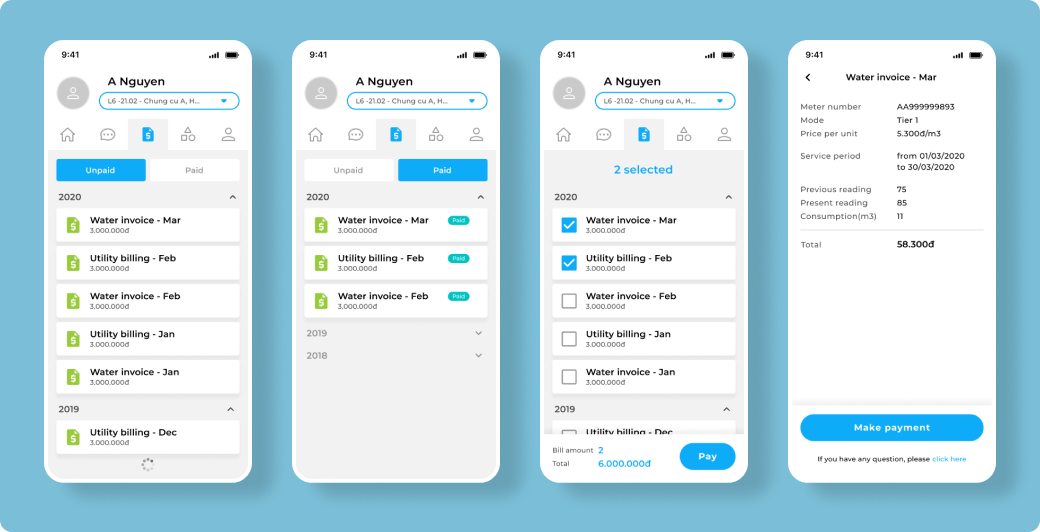
Monthly Bills
The app allows users to make online payment for monthly bills. The invoices are displayed as a data list and separated into 2 tabs: unpaid and paid. Users can view invoice details and pay multiple bills at once.
User flow
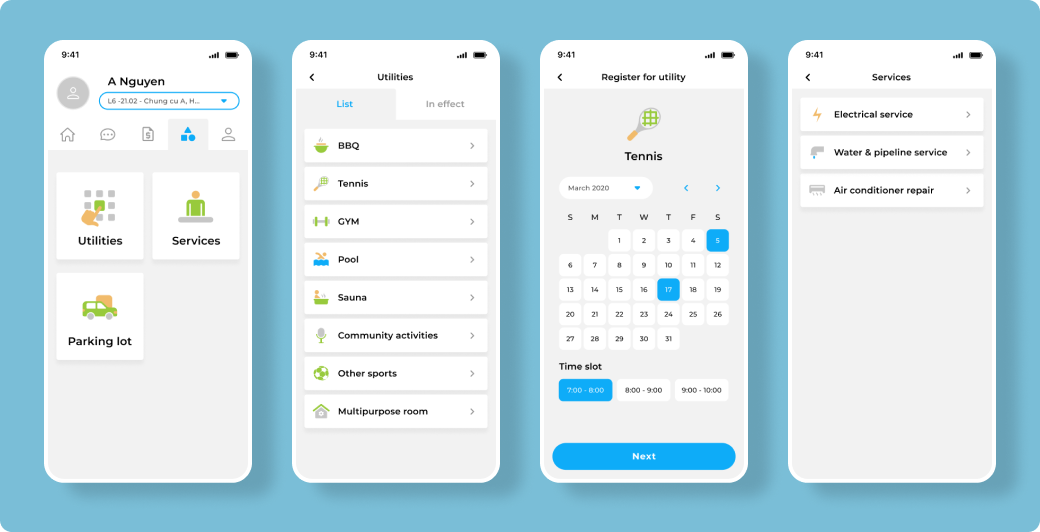
Utilities & Services
Utilities & services screen displays the available services each building offers, visually represented by the flat illustrations.
User flow
User Account
The residents can update profile, apartment members, inform about visiting guests in order to help the Management Board in managing and security. Users can also access residents chat for convenient, smooth communication.